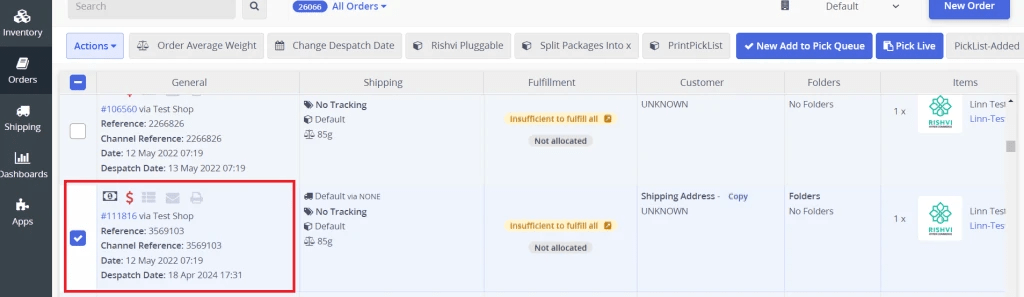
The Change Dispatch Date of single or multiple orders in Linnworks streamlines order management by allowing users to select one or multiple orders and easily adjust the dispatch date. This automation simplifies the process of rescheduling orders, improving efficiency in managing order fulfilment timelines.
For Multiple Orders:
- 1. Go to Open Orders.
- 2. Select Multiple Orders.
- 3. Once the Multiple Orders are selected, follow the same instructions as below, starting from step 2.
Summary
The Change Dispatch Date facilitates the adjustment of dispatch dates for single or multiple orders with ease. By enabling users to select and modify despatch dates efficiently, it enhances order management and ensures timely fulfilment.
Configure The Macro
From the Open Orders screen:
In the Open Orders screen, find the order you need to process.
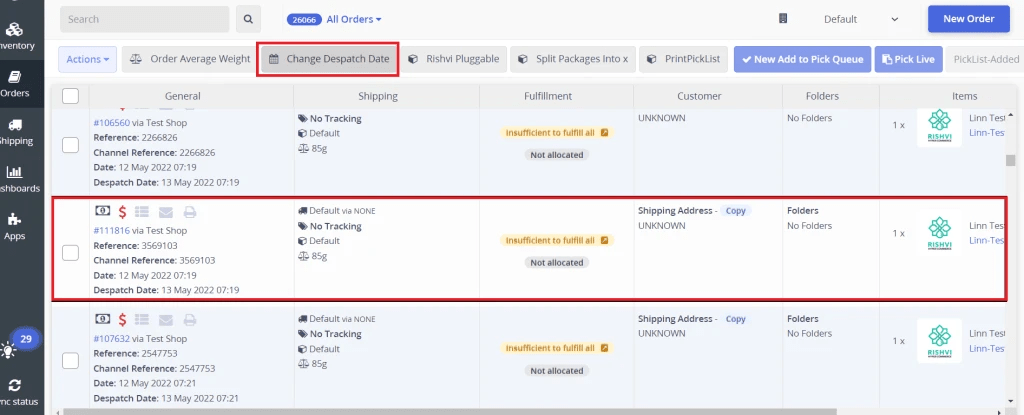
Step 1 : Select the order, click on Change Dispatch Date.
- In the Open Orders screen, find the order you need to process.
- Select the order, click on Change Dispatch Date.
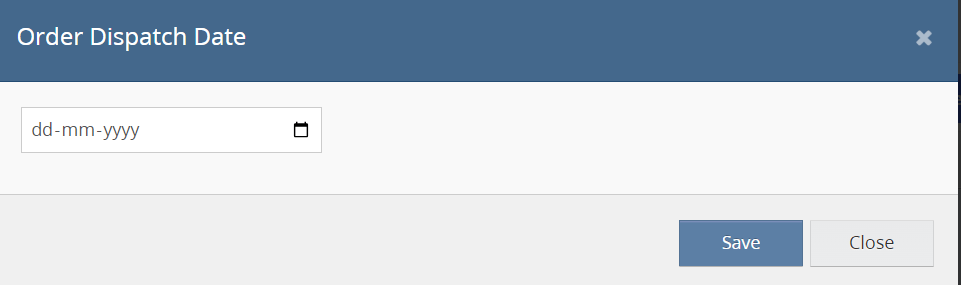
Step 2 : The Order Dispatch Date screen will open.
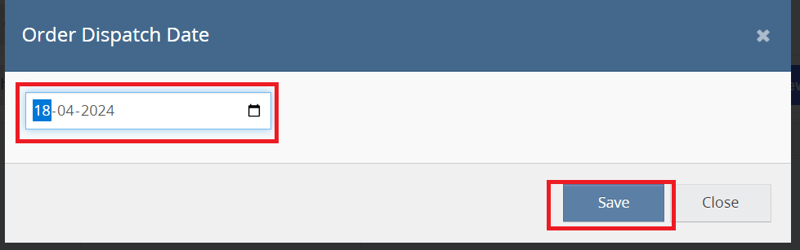
Step 3 : Select dispatch Date and click on save button.
Step 4 : Go back to the Open Order screen and verify the despatch date of order.