


The “Reduce Item’s Discount” is a macro that runs as an action of the Rules Engine. This macro allows for the manual reduction of discounts by a specified value provided by the client. This macro facilitates the modification of discounts for items in the item line of order with a 100% discount applied.
There are three steps you need to complete to start using the macro:
- 1. Go to Apps > Application Store > Reduce Item’s Discount > click Install and follow the on-screen instructions until the installation is complete.
- 2. Configure the macro.
- 3. Configure the rule in the Rules Engine screen.
Functionality
Discount Application
1. Iterates through specified orders and evaluates each order item’s value.
2. Applies a discount to order items with a value of zero and a 100% discount already applied.
Discount Calculation
Calculates the discount value based on the provided discount percentage.
Order Item Update
Updates order items with the newly applied discounts to reflect the changes in pricing.
Configure The Macro
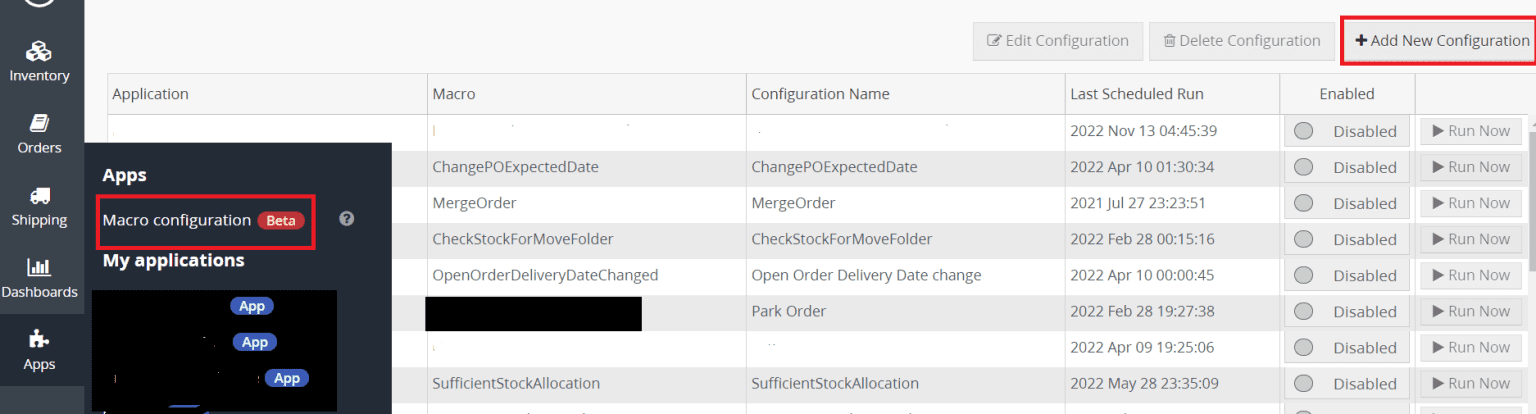
Step 1 : Go to Apps > Macro Configuration and click + Add new configuration.
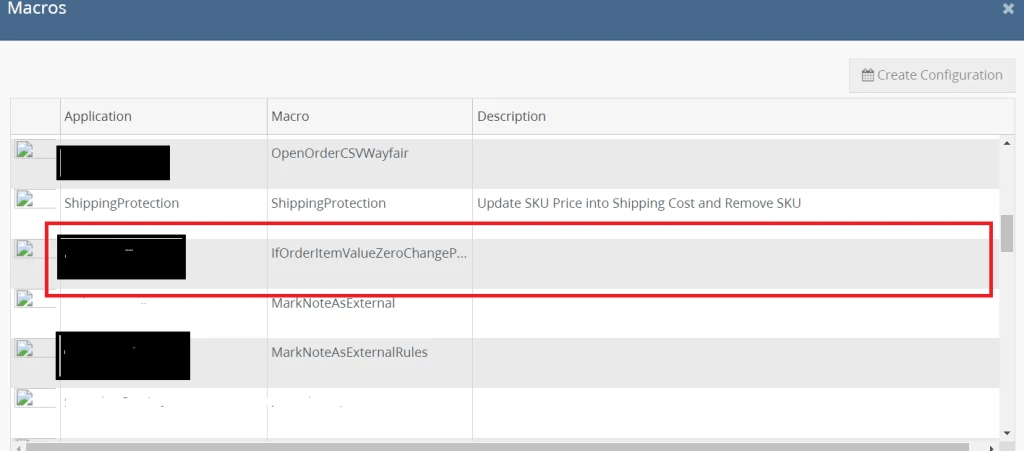
Step 2 : Select the Reduce Item’s Discount macro and click Create Configuration.
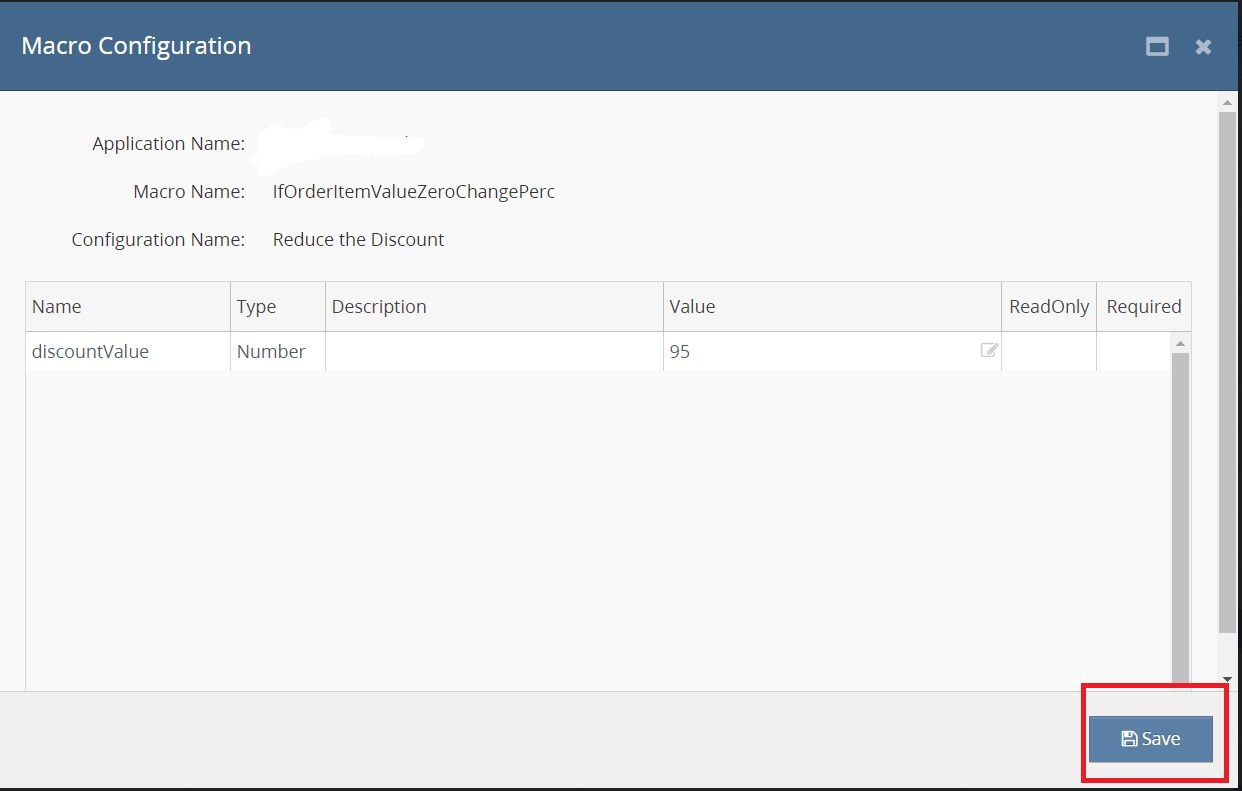
Step 3 : In the Macro Configuration screen, specify the below details and click Save:
Step 4 : Make sure to enable the macro to continue with the Rules Engine configuration.

Usage of App
Input Parameters
1. OrderIds: Array of order IDs to process.
2. discountValue: The discount percentage to apply to order items with a value of zero.
Execution
Call the macro with the desired order IDs and discount value to initiate the discount application process.
Outcome
1. The macro evaluates each order and applies discounts to qualifying order items as specified by the provided parameters.
2. Order items with a value of zero and a 100% discount applied are updated with the new discount value.


