


This project enables seamless integration between a Shopware and Linnworks, allowing centralized order, inventory, and product management across multiple channels. Designed using official Linnworks channel integration guidelines, the solution bridges your Shopware storefront with Linnworks automation and stock control capabilities.
Key Features
Inventory Updates
Automatically sync stock level changes from Linnworks to Shopware, ensuring your listings remain accurate.
Order Download
Automatically import orders from Shopware into Linnworks. The paid/unpaid status is determined by the Paid Status List in your channel settings.
Channel Tax
Tax details and settings on orders in Linnworks are supplied directly from Shopware during the order download process.
Inventory Mapping
Link your Shopware listings with Linnworks inventory items to enable stock and price synchronization.
Location Mapping
Download orders to specific Linnworks locations and send inventory updates from chosen locations.
Order Dispatch
Mark orders as shipped from within Linnworks, complete with tracking numbers and shippig service names, syncing directly with Shopware.
Payment Mapping
Map Shopware payment methods to Linnworks payment options, ensuring accurate payment method details in your orders.
Price Change
Update product prices on your Shopware listings directly through Linnworks.
Linnworks: Installation & Initial Setup
Step 1 : In Linnworks, search for “Shopware v6” in the Apps/Integrations section.

Step 2 : Click Install
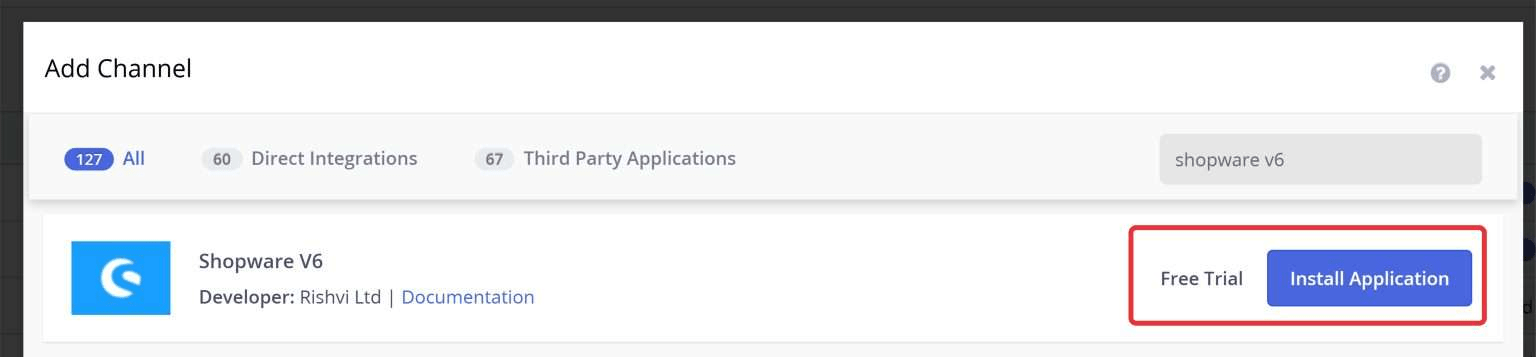
Step 3 : Enter an Account Name (e.g., “Shopware – Main Store”) to identify the channel

Step 4 : Review the on-screen information and permissions, then proceed

Step 5 : Enter the API credentials provided by Shopware or Rishvi Ltd (e.g., Client ID, Client Secret, Base URL).
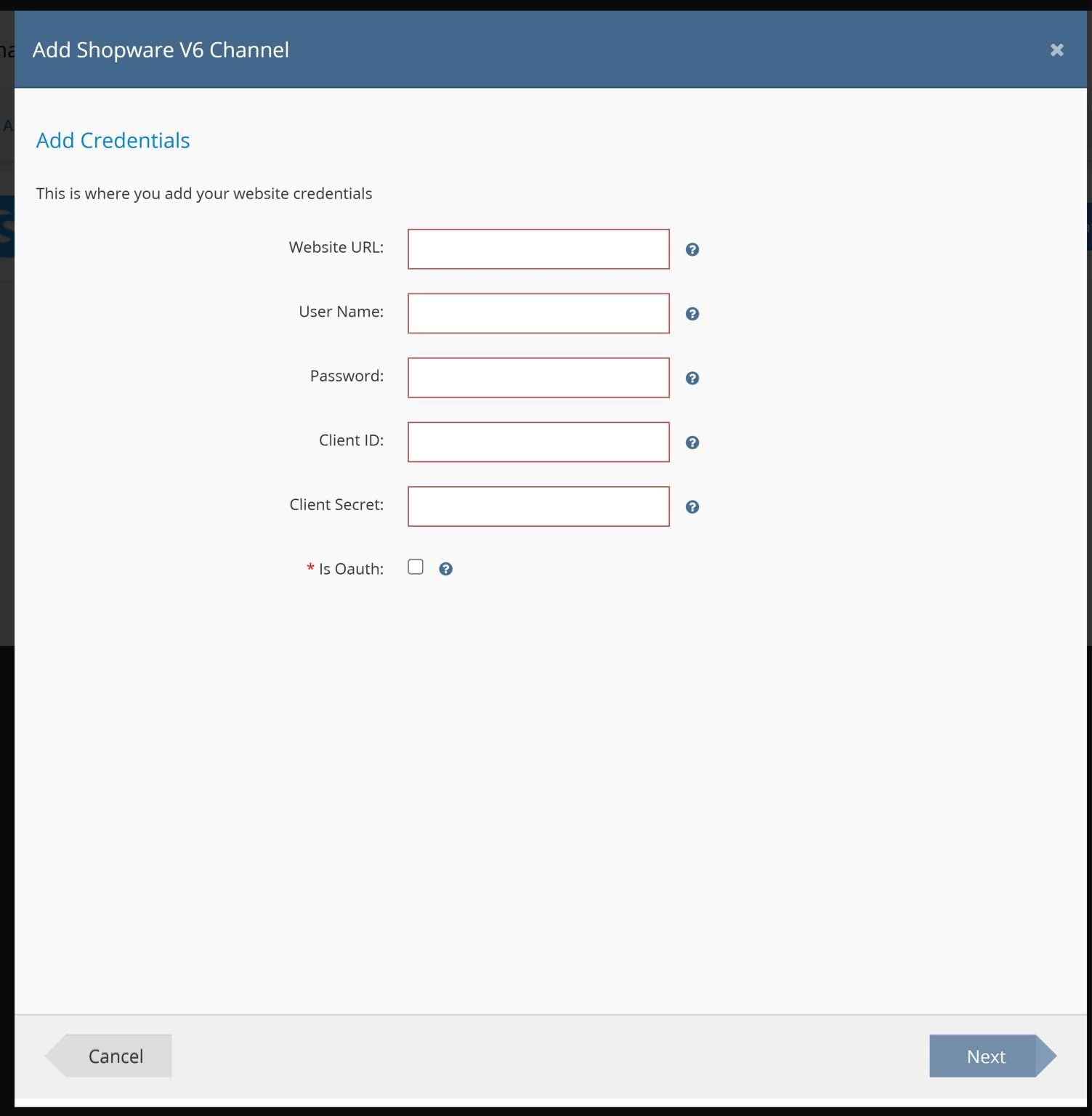
Step 6 : Configure options according to your requirements
(order download rules, stock update settings, price sync, tax handling, locations, etc.).

Step 7 : Click Enable to activate the integration.

Step 8 : Go to Channel Mapping:
- Inventory Mapping: Link existing SKUs to Shopware listings, or create new SKUs in Linnworks.
- (Optional but recommended) Location/Payment/Shipping Mapping: Map your chosen locations and methods for accurate syncing.

Step 9 : Create a test order in Shopware. Allow approximately 15 minutes for the order to appear in Linnworks.

Step 10 : Verify the import and data: check order status, taxes, shipping and payment details, and confirm stock behavior.


